




Zoplax for traders & distributors
ERP for traders and distributors.
Buy, stock and bill in one place. Purchase orders become goods received and supplier bills, every sale becomes a GST invoice, and each morning you see who owes you and for how long.
- ₹999 / month, 5 users
- 15-day free trial, no card
- Onboarding and data import included
01
GST tax invoices from the order or dispatch
02
Purchase orders, goods received and supplier bills
03
Live stock with minimum stock alerts
04
Customer outstanding and ageing
05
GSTR-1 and GSTR-3B from your own bills
How it works
From purchase order to payment received.
- 01
Buy
Raise the purchase order; receive the goods against it and enter the supplier bill.
- 02
Stock
Stock goes up on every receipt and down on every dispatch — no separate entry.
- 03
Sell & bill
Quotation, sales order, delivery challan and GST invoice, each from the last.
- 04
Collect
Record receipts against invoices; outstanding and ageing update on their own.
Inside Zoplax
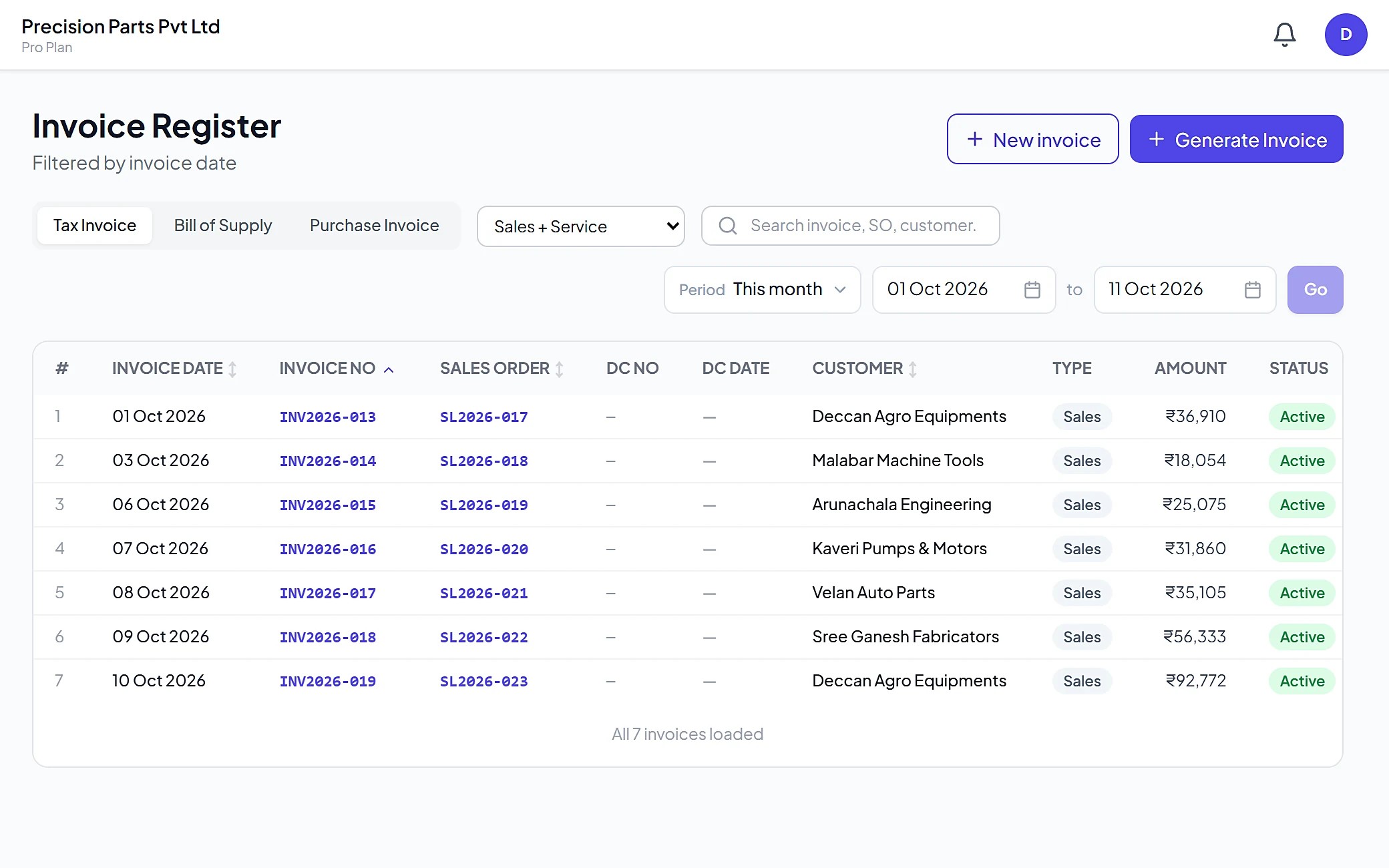
See it inside Zoplax.
What you can do
Every supplier, item and customer, in one place.
Buying & stock
- Purchase orders
- Raise POs to suppliers, with part receipts and pending quantity.
- Goods received
- Receive against the PO; stock is updated on the spot.
- Supplier bills
- Enter the bill from the receipt — supplier balance stays correct.
- Stock
- Live quantity per item, HSN and units, with minimum stock alerts.
Selling & collecting
- Quotations & orders
- Quotation, proforma and sales order for each customer.
- Dispatch & invoice
- Delivery challan and GST tax invoice for what was sent.
- Outstanding
- What each customer owes, invoice by invoice, with ageing.
- Accounts & GST
- Receipts, payments, P&L and GSTR-1 / 3B from the same bills.
Zoplax Business
₹999/ month
5 users included · extra users ₹500 each a month · yearly: pay 11 months.
Everything below is included
FAQ
Common questions.
Can I bill from a delivery challan?
Yes. Dispatch the goods with a delivery challan and raise the GST tax invoice for what was sent — on its own or from the sales order.
How do I see who owes me money?
Outstanding shows every unpaid invoice per customer with ageing, so you know whom to call first. Receipts are adjusted against invoices.
Will it warn me before an item runs out?
Yes. Set a minimum stock level per item and Zoplax lists the items that have fallen below it.
Are supplier bills and payments tracked?
Yes. Receive goods against the purchase order, enter the supplier bill and record payments — the supplier balance stays correct.
Can I move from Tally or Excel?
Yes. Customers, suppliers, items and opening stock come in from Excel, and we have moved traders across from Tally. We do the first import with you.
See it with your own business.
In a 30-minute call we load a few of your items and customers, raise a purchase and a GST invoice, and show you the outstanding view.
- Phone & WhatsApp
- +91 98412 55821
- support@zoplax.in
- Office
- Zoplax Technologies, Chennai, Tamil Nadu